Initiate Node Destruction
To begin the destruction process, navigate to the specific node’s page by accessing 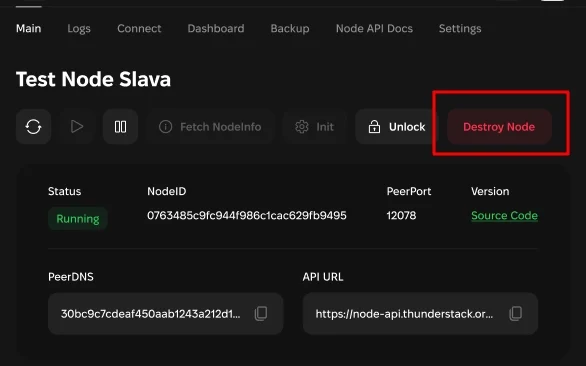
/nodes/{nodeId}.Check Node Status
Ensure that the node is in a
RUNNING status. Nodes in this state are eligible for destruction.Destroy the Node
Click the “Destroy” button available on the page. This action will initiate the destruction process, and the node’s status will change to
IN_PROGRESS to indicate that the destruction is underway.